Training Achievement Certificate Program
PROFESSIONALS TRAINED
COURSE TOPICS
WORKFORCE PARTNERS
What your PTR certificate represents

It starts with your credential ID
Access your certificate and learner profile using the unique credential ID below. Each certificate displays its own ID. Any earned PTR credential ID can be used to log in to the Achievement Portal.
Make the most of your certificate and learner profile:
- Share your course badge on LinkedIn
- See skills earned to track growth
- Download your certificate as a PDF
- View completed PTR courses in one place
- Showcase achievements at work
A portable mark of what you completed
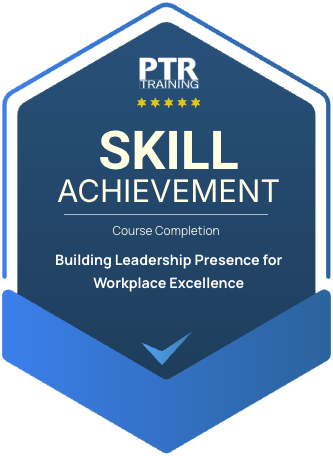
Skills that move your team forward
Frequently asked questions
Once your certificate has been issued, you will receive an email with a link to access your digital Certificate of Completion. Open the link to view your certificate and the available sharing or download options.
No. You can access your certificate directly through the credential link in your email. For certain actions you may be asked to verify the email address associated with your certificate.
Yes. From your digital credential page you can download your certificate and save a copy for your records, or print it when needed.
Your digital credential includes a unique online record that allows employers, organizations, and others to confirm your course completion and view the credential details. Codes can be checked on the Course Achievement Portal.
Check your spam or junk folder and search your inbox for your PTR Training certificate email. If you still cannot locate it, your credential can be recovered using the email address associated with your certificate, or contact PTR for assistance.