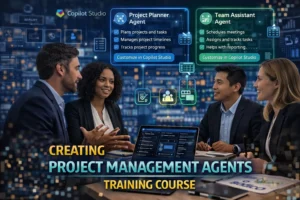


Creating Project Management Agents in Copilot Training Course

Formats   Live Virtual: 4 hrs./1 Day  |  In-Person: 6 hrs./1 Day

Creating AI Project Management Agents with Copilot equips participants with the skills to design, build, and deploy AI agents that enhance project planning, execution, and decision-making. Participants will explore how AI agents support core project management functions such as scope, scheduling, risk, communication, and resource management. The course covers agent architecture, workflow design, and best practices for creating reliable, secure, and effective agents. Through hands-on labs and real-world scenarios, participants will build and apply agents to common project challenges. By the end, learners will be able to develop and scale AI agents that improve project efficiency and outcomes.

Learning Objectives

  • Explain how AI agents support project management workflows.
  • Design and build project management AI agents using Copilot.
  • Apply best practices for reliability, security, and governance.
  • Use AI agents across core project management domains.
  • Deploy, monitor, and scale agents to improve performance.

Course Agenda »

What are Project Management Agents?

  1. What an Agent Is and is Not
  2. Core Capabilities
  3. Use Cases in Project Management
  4. Value Proposition

Understanding Copilot’s Architecture

  1. Agent Components
  2. How Agents Reason
  3. Security And Governance

Effective Project Management Agents

  1. Defining The Agent’s Purpose
  2. Mapping Workflows
  3. Crafting HighQuality Instructions
  4. Designing for Reliability
  5. Human-in-the-Loop Design

Building Agents StepbyStep

  1. Creating the Agent Shell
  2. Adding Capabilities
  3. Workflow Automation
  4. Testing and Validation

Applying Agents to Core PM Domains

  1. Scope And Requirements Management
  2. Schedule Management
  3. Risk and Issue Management
  4. Communications Management
  5. Resource and Budget Monitoring
  6. Portfolio and Governance Support

Enterprise Considerations

  1. Data Sensitivity and Access Control
  2. Compliance Alignment
  3. Change Management
  4. Ethical and Responsible AI Use

Labs and ScenarioBased Activities

  1. Status Report Agent
  2. Risk Tracker Agent
  3. Meeting Prep Agent
  4. Breakout Simulations
  5. Peer Review Sessions

Deployment, Monitoring, & Improvement

  1. Publishing Agents
  2. Monitoring Performance
  3. Iterative Refinement
  4. Scaling Across the Organization

Creating Project Management Agents in Copilot Training Course

Formats   Live Virtual: 4 hrs./1 Day  |  In-Person: 6 hrs./1 Day

Creating AI Project Management Agents with Copilot equips participants with the skills to design, build, and deploy AI agents that enhance project planning, execution, and decision-making. Participants will explore how AI agents support core project management functions such as scope, scheduling, risk, communication, and resource management. The course covers agent architecture, workflow design, and best practices for creating reliable, secure, and effective agents. Through hands-on labs and real-world scenarios, participants will build and apply agents to common project challenges. By the end, learners will be able to develop and scale AI agents that improve project efficiency and outcomes.

Learning Objectives

  • Explain how AI agents support project management workflows.
  • Design and build project management AI agents using Copilot.
  • Apply best practices for reliability, security, and governance.
  • Use AI agents across core project management domains.
  • Deploy, monitor, and scale agents to improve performance.

Course Agenda »

What are Project Management Agents?

  1. What an Agent Is and is Not
  2. Core Capabilities
  3. Use Cases in Project Management
  4. Value Proposition

Understanding Copilot’s Architecture

  1. Agent Components
  2. How Agents Reason
  3. Security And Governance

Effective Project Management Agents

  1. Defining The Agent’s Purpose
  2. Mapping Workflows
  3. Crafting HighQuality Instructions
  4. Designing for Reliability
  5. Human-in-the-Loop Design

Building Agents StepbyStep

  1. Creating the Agent Shell
  2. Adding Capabilities
  3. Workflow Automation
  4. Testing and Validation

Applying Agents to Core PM Domains

  1. Scope And Requirements Management
  2. Schedule Management
  3. Risk and Issue Management
  4. Communications Management
  5. Resource and Budget Monitoring
  6. Portfolio and Governance Support

Enterprise Considerations

  1. Data Sensitivity and Access Control
  2. Compliance Alignment
  3. Change Management
  4. Ethical and Responsible AI Use

Labs and ScenarioBased Activities

  1. Status Report Agent
  2. Risk Tracker Agent
  3. Meeting Prep Agent
  4. Breakout Simulations
  5. Peer Review Sessions

Deployment, Monitoring, & Improvement

  1. Publishing Agents
  2. Monitoring Performance
  3. Iterative Refinement
  4. Scaling Across the Organization